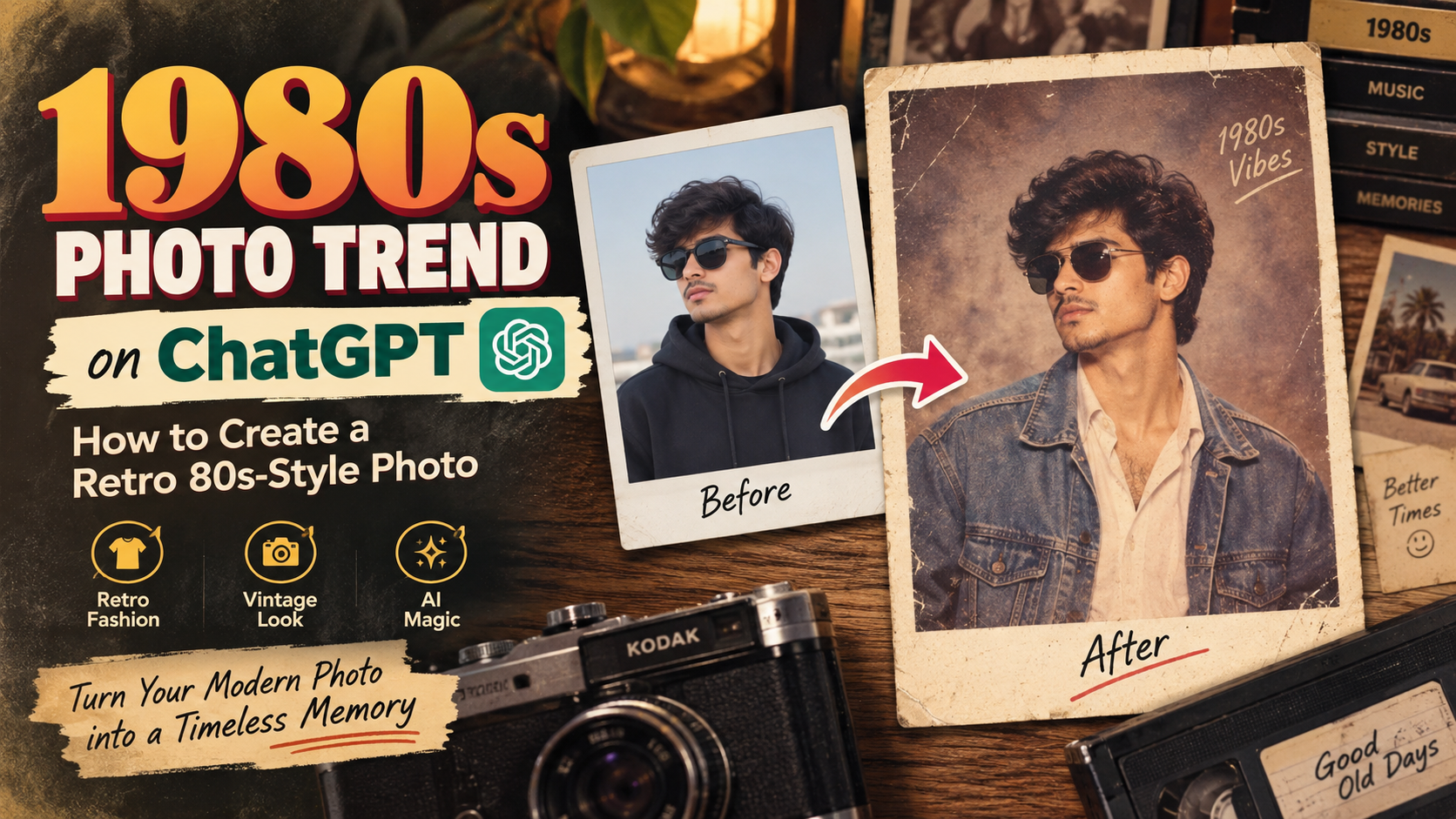
The 1980s photo trend on ChatGPT has become a fun way to give modern pictures the appearance of photographs from the 1980s. Using AI image editing, you can recreate the decade’s distinctive fashion, hairstyles, studio setups, lighting, colors, and analog film texture.
Instead of applying a basic vintage filter, AI can change several visual elements of a photograph at once. This makes the result feel more like an authentic photograph captured during the 1980s.
The style can be used for individual portraits, couple pictures, family photographs, social media profile images, throwback posts, and creative projects.
What Is the 1980s Photo Trend?
The 1980s photo trend is an AI-powered visual transformation that gives a contemporary photograph a retro 80s appearance.
A convincing transformation usually combines several characteristics associated with photography from that period, including:
- Analog film photography
- Retro 1980s clothing
- Period-specific hairstyles
- Classic studio portrait setups
- Soft and warm lighting
- Slightly faded colors
- Natural film grain
- Vintage accessories
- Simple portrait backgrounds
- Traditional analog-camera texture
The objective is to make the entire photograph feel like it was actually taken decades ago. Simply adding noise or reducing the image quality usually isn’t enough. Clothing, lighting, composition, colors, and photographic texture all contribute to the final effect.
How to Create an 80s Photo Using ChatGPT
Creating a retro photograph with ChatGPT is relatively straightforward.
Step 1: Upload Your Photo
Start by uploading the photograph you want to transform.
A clear portrait usually works best because the AI can identify facial details more accurately. Front-facing or well-lit images are particularly useful when you want the person’s recognizable appearance to remain consistent.
Step 2: Add an 80s-Style Prompt
After uploading the image, describe the visual changes you want.
Rather than saying only “make this photo look old,” specify the decade, clothing, hairstyle, lighting, background, camera characteristics, and film appearance.
You can also mention that the person’s facial identity should remain recognizable.
Step 3: Generate and Refine the Image
Generate the edited version and examine the result.
If it doesn’t have the exact appearance you want, you can request additional changes. For example, you can adjust the:
- Outfit
- Hair
- Background
- Lighting
- Pose
- Film grain
- Color tone
- Camera aesthetic
- Overall level of vintage styling
Small refinements can make the final photograph considerably more convincing.
Best 1980s Photo Trend Prompt
You can use the following prompt with your uploaded photograph:
Prompt:
Transform my uploaded photo into a realistic and authentic 1980s studio portrait.
Preserve the person’s recognizable face, facial proportions, natural skin tone, and overall identity. Do not turn the person into a different individual. Recreate the photograph as if it had genuinely been captured during the 1980s using an analog film camera.
Use authentic 1980s fashion, period-appropriate hair styling and accessories, soft studio illumination, a classic retro portrait background, subtle film grain, slightly faded colors, natural highlights, realistic skin texture, and the characteristics of a professionally developed analog photograph.
The composition should feel like a real portrait from the 1980s rather than a modern photograph with a vintage filter applied to it.
Keep the result photorealistic and natural. Avoid modern clothing, contemporary studio lighting, excessive grain, artificial skin smoothing, cartoon effects, exaggerated colors, or an obvious digital filter.
Create a nostalgic, detailed and believable 1980s photograph with realistic analog film texture.
How to Make an AI 80s Photo More Realistic
One of the biggest mistakes when creating a retro photograph is using too many artificial effects.
Heavy grain, extreme yellow tones, excessive blur, or strong scratches can make an image look like a digital filter instead of an actual old photograph.
For a more authentic result, ask for subtle film grain, natural skin details, gentle highlights, slightly imperfect exposure, and mildly faded colors.
You can also define the type of photograph you want. For example, an old family-studio portrait will look different from an outdoor photograph, school picture, wedding portrait, or 1980s fashion shoot.
Giving the AI this additional context can produce a much more convincing result.
1980s Couple Photo Trend
The 1980s couple photo trend lets you transform a modern couple picture into a realistic retro portrait. Ask AI to preserve both faces while changing their clothing, hairstyles, background, lighting, and film texture. Use coordinated 80s outfits, natural poses, a classic studio backdrop, and subtle analog grain for an authentic 1980s photo look.
1980s Bollywood-Style Photo
Another interesting variation is an Indian retro portrait inspired by 1980s Bollywood photography.
Instead of simply applying a Western vintage aesthetic, you can describe specific Indian visual elements associated with the decade.
For example, you can request:
- 1980s Indian clothing
- Retro Indian hairstyles
- Classic studio backdrops
- Warm analog lighting
- Vintage Indian portrait photography
- Subtle film grain
- Slightly faded film colors
- Period-appropriate accessories
If you’re looking for the atmosphere of a particular celebrity era, describing the clothing, hairstyle, makeup, lighting, and photography characteristics is generally more useful than asking for an exact recreation of a particular promotional photograph.
What Photos Work Best for the 1980s Trend?
Although AI can transform many different photographs, certain images generally provide better results.
Good choices include:
- Clear portrait photographs
- Front-facing images
- Half-body portraits
- Family photographs
- Couple pictures
- Outdoor portraits
- High-resolution photographs
Try to avoid images where the face is heavily covered, extremely blurry, very dark, or already modified with multiple filters. Clear source material gives the AI more visual information to work with.
Common Problems With AI-Generated 80s Photos
Sometimes an AI-generated image may look like a modern photo with a vintage filter instead of a real 1980s photo. To improve the result, ask for authentic 80s clothing, softer lighting, natural skin texture, subtle film grain, simple backgrounds, and realistic analog-camera details.
Tip: “Make it look like it was originally photographed in the 1980s, not like a modern photo with a vintage filter.”
Can You Make an Old-Looking Family Photograph?
Yes. The 1980s photo trend on ChatGPT can also be applied to family pictures.
You can ask the AI to preserve the recognizable appearance of each family member while changing the clothing, background, lighting, and photographic treatment to create a vintage family portrait.
A classic studio setting, period clothing, subtle film texture, and natural poses can help produce a believable result.
Can You Create Color or Black-and-White 80s Photos?
Yes. You can specify the type of film appearance you prefer.
For a color photograph, you can request slightly faded colors, warm tones, natural highlights, and subtle analog grain.
For a monochrome version, ask for a black-and-white analog portrait with realistic film contrast and natural photographic texture.
The final appearance can be adjusted depending on whether you want a family-photo look, studio portrait, fashion photograph, or casual snapshot.
Can You Change Clothes in an 80s Photo?
Yes. AI image editing can be instructed to replace contemporary clothing with period-appropriate 1980s fashion.
For example, you can request retro shirts, jackets, dresses, hairstyles, accessories, or other clothing appropriate to the decade.
When doing this, specify that the person’s face, identity, body proportions, and general pose should remain consistent.
Is the 1980s Photo Trend Free on ChatGPT?
The availability of AI image-generation and editing features can depend on the ChatGPT plan, account, and current product availability.
If you want to use the 1980s photo trend on ChatGPT, check the image-generation or image-editing options currently available in your ChatGPT interface.
AI Apps to Create 1980s Photo Trend
You can create the 1980s photo trend using several popular AI image-generation and editing apps. ChatGPT can transform an uploaded photograph into a realistic retro 80s portrait with period clothing, hairstyles, lighting, and film grain. Other useful AI apps include Google Gemini, Adobe Firefly, Canva AI, Picsart, and Fotor, which offer different image-editing and creative tools. For more advanced photo transformations, users can also explore AI platforms such as Midjourney. Results can vary between apps, so choose the tool that provides the level of facial consistency, customization, and vintage photography style you need for your retro 80s-style photo.
Frequently Asked Questions
Can I turn my own photo into an 80s photo?
Yes. Upload a suitable photograph and provide a detailed instruction describing the 1980s appearance you want. You can request changes to the clothing, hairstyle, background, lighting, colors, and film texture while keeping your identity recognizable.
Can ChatGPT create an old-looking family photo?
Yes. A modern family photograph can be transformed into a vintage-style family portrait by specifying period clothing, hairstyles, lighting, background, and analog film characteristics.
Can I create a black-and-white 80s photo?
Yes. You can specifically request a monochrome analog-photography style instead of faded color film.
Can I change my clothes to 1980s fashion?
Yes. You can ask the image editor to replace modern clothing with period-appropriate 1980s outfits while keeping the person’s identity and overall appearance consistent.
How can I make my AI photo look more authentic?
Avoid asking for only an “80s filter.” Instead, describe the entire photographic style, including analog film, subtle grain, period clothing, lighting, background, color treatment, and camera characteristics.
Final Thoughts
The 1980s photo trend on ChatGPT is an easy way to transform modern photos into realistic retro portraits. For better results, mention 80s fashion, hairstyles, lighting, film grain, colors, and an analog camera look. Use a clear photo and a detailed prompt to create a convincing 1980s photo.